Text Message (SMS) Program Disclosure
Last Updated: July 8, 2026
Elevate Community is a nonprofit organization based in Colorado Springs, Colorado, serving a faith-based community of young professionals. This page describes our text messaging programs, exactly how members opt in, and how to opt out. It exists so that anyone -- including mobile carriers and messaging compliance reviewers -- can verify our consent flow.
Our Two Messaging Programs
1. Account & Security (transactional)
- What it sends: Password reset codes and account security alerts for Elevate app users.
- Frequency: Only when the member requests a password reset code or a security event affects their account. No recurring messages.
- Sample messages:
- "Elevate Community: Your verification code is 482103. It expires in 10 minutes. Do not share this code. Message and data rates may apply. Reply STOP to opt out, HELP for help."
- "Elevate Community: Your password was changed. If this wasn't you, contact operations@elvtlife.com. Reply STOP to opt out, HELP for help."
2. Community Updates (marketing)
- What it sends: Community event invitations, announcements, and weekly updates for members who opted in.
- Frequency: Varies; typically 2-8 messages per month.
- Sample messages:
- "Elevate Community: Run club meets tomorrow 7am at Garden of the Gods. See you there! Message and data rates may apply. Reply STOP to opt out, HELP for help."
- "Elevate Community: New event this Saturday -- community kickball at Memorial Park. RSVP in the app. Reply STOP to opt out, HELP for help."
How Members Opt In (Call to Action)
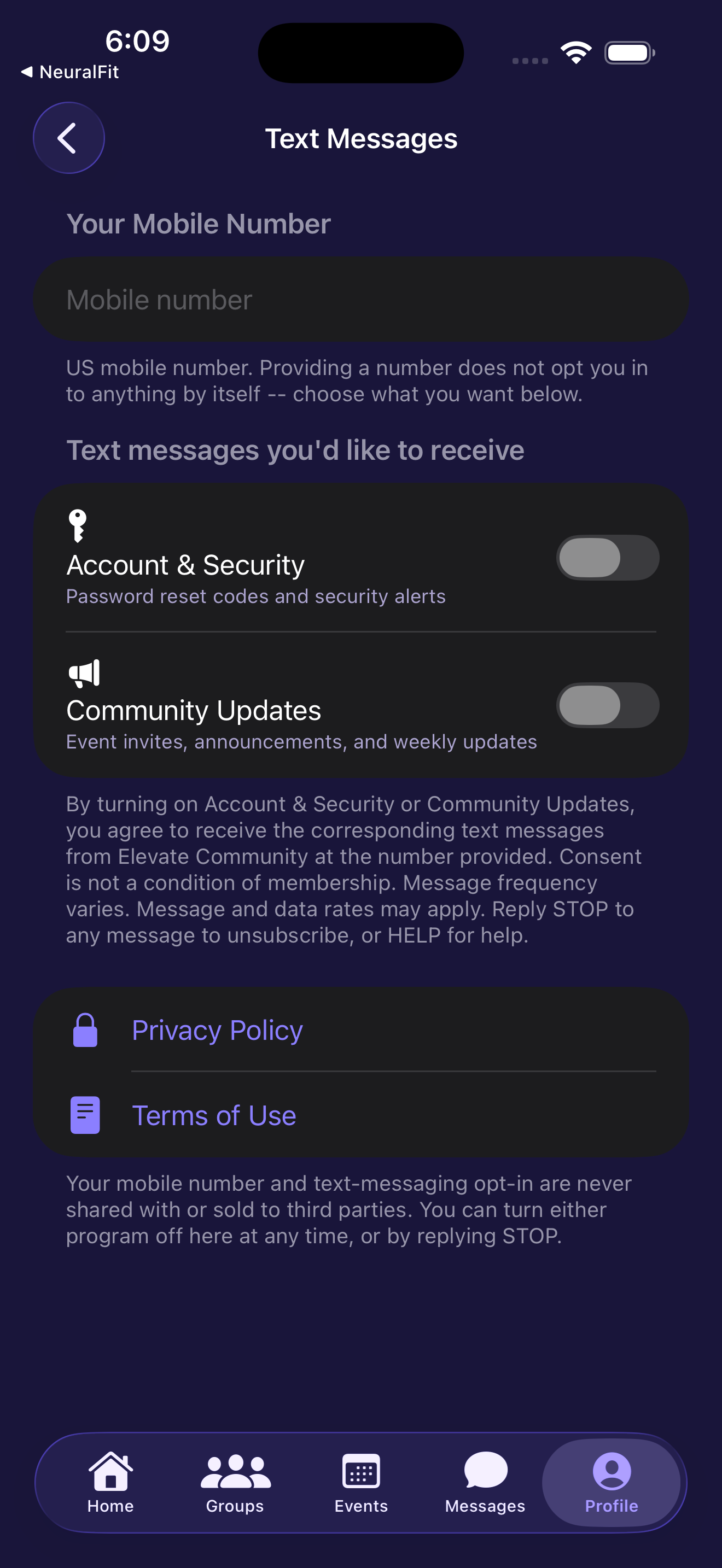
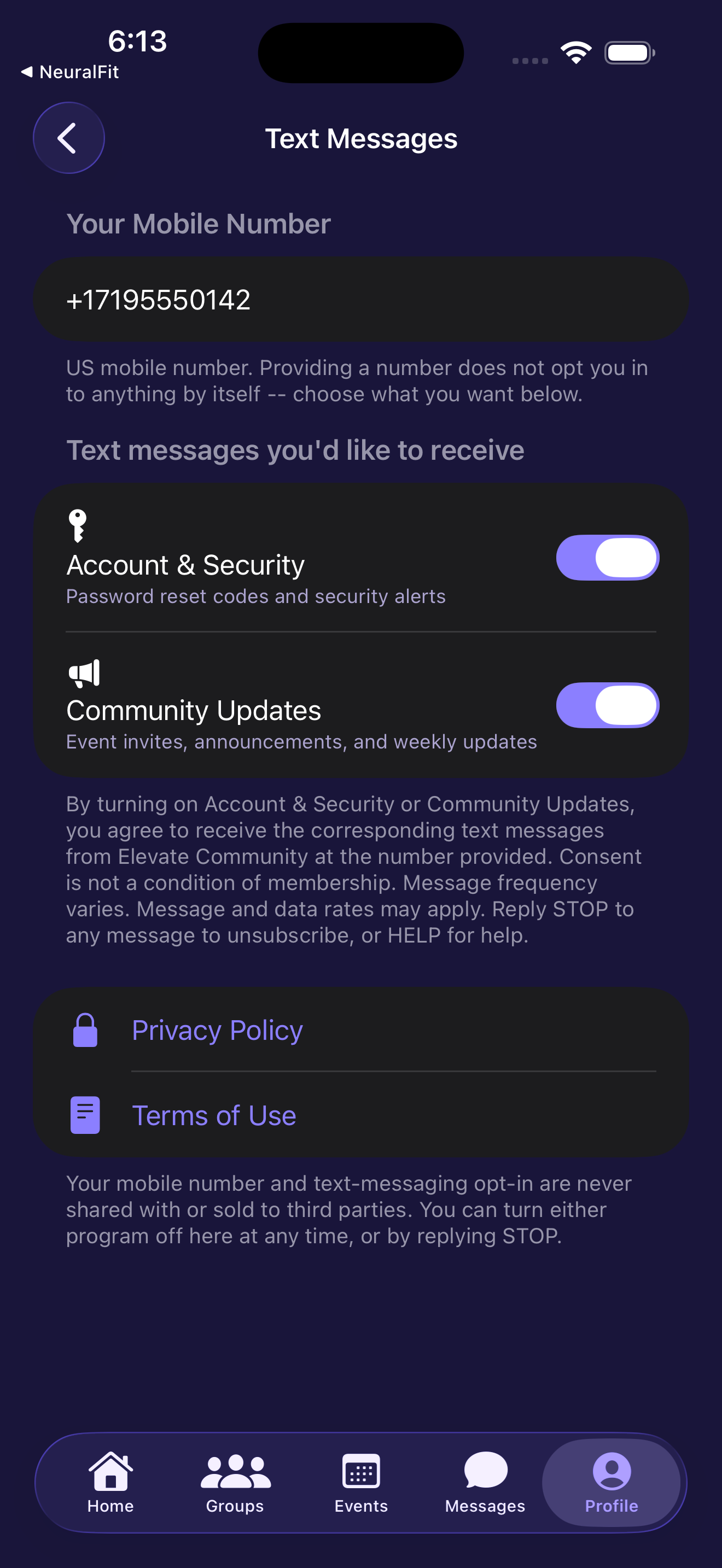
Consent is collected inside the Elevate Community iOS app (App Store: "Elevate Community & Faith"). The flow, reproduced in the screenshots below, is:
- The member opens Profile > Settings > Text Messages.
- The member enters their own US mobile number. Entering a number alone does not opt them in to anything.
- The member enables one or both programs with dedicated toggles: Account & Security (transactional) and/or Community Updates (marketing). Each consent is independent and stored with a timestamp.
The following disclosure is displayed directly beneath the toggles, at the exact point of consent:
"By turning on Account & Security or Community Updates, you agree to receive the corresponding text messages from Elevate Community at the number provided. Consent is not a condition of membership. Message frequency varies. Message and data rates may apply. Reply STOP to any message to unsubscribe, or HELP for help."
Links to our Privacy Policy and Terms of Use are shown on the same screen, followed by this statement:
"Your mobile number and text-messaging opt-in are never shared with or sold to third parties. You can turn either program off here at any time, or by replying STOP."
Consent Screen (actual app screenshots)
Opting Out
- Reply STOP to any message to unsubscribe from that program immediately.
- Reply HELP for help, or contact operations@elvtlife.com.
- Toggle either program off at any time in the app under Settings > Text Messages.
Privacy
Mobile phone numbers and SMS opt-in consent are used solely to deliver the messages described above. They are never shared with, sold to, or transferred to third parties or affiliates for marketing or promotional purposes. See our Privacy Policy for full details.
Contact
Elevate Community
Colorado Springs, CO
Email: operations@elvtlife.com